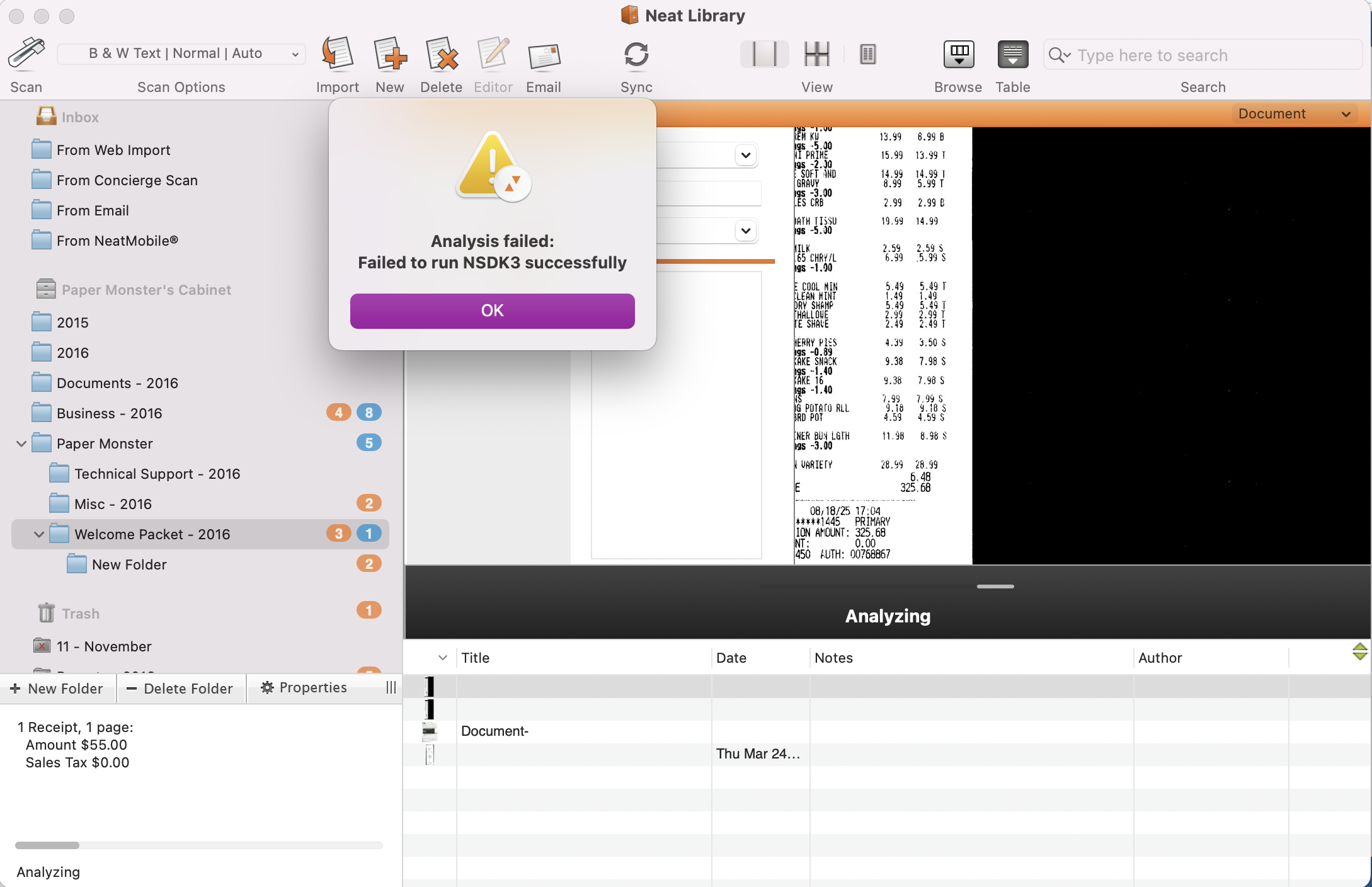
Analysis Failed: Failed to run NSDK3 successfully
Issue Description: After scanning a file into the Legacy for Mac software (versions 4.5.0 and earlier), an error message appears during analysis that says: Analysis Failed: Failed to run NSDK3 successfullyImpact: Limited Impact - Legacy for Mac users only
Status: Retired/Unsupported Software Version - This issue has been reviewed and will not be resolved
Options:
- Option 1 (Not recommended): While we understand this error message is disruptive and may interrupt multi-page scanning, it does not typically prevent scanning or importing from working altogether. While you will see the error message with each scan, the scanned file will still come through to the Legacy for Mac software. Users can continue to use the Legacy Neat software as is, however, you do so at your own risk. These versions of Neat reached their end-of-life status in 2017, which means no updates, patches, or fixes have been released since then. This lack of updates makes the software incompatible with newer technologies and operating systems. Agent-assisted support for these versions ended on July 31st, 2018. If your Legacy software crashes or stops working, there will be no way to recover any of the data stored there.
- Option 2 (Recommended): We recommend that you discontinue using the Legacy for Mac software and use our Neat Desktop Application software instead. The Neat Desktop Application supports the 1000-series model Neat scanners as well as many TWAIN-compliant scanners. You can use the Neat Desktop Application:
- With a Neat Cloud subscription to scan and save files directly to the Neat Cloud, OR
- Without a subscription to scan and save files locally to your computer’s hard drive.
You can download the Neat Desktop Application here: https://support.neat.com/desktop/install-neat-desktop-app
Scanner drivers for 1000-series model Neat scanners are available here: https://support.neat.com/downloads/download-neat-scanner-drivers-for-windows-or-mac
We also strongly recommend exporting all data from the Legacy software as soon as possible to avoid potential data loss. Step-by-step instructions for exporting your data can be found here: https://support.neat.com/migration/mac-export-to-pdf-guide
If you would like assistance transitioning to our current products and services, we do offer migration support and would be happy to help guide you through the process.