If you received this message, Your document plan limit has been reached, it means you are on a monthly or yearly volume-based plan and you have reached your maximum uploads for your plan period.
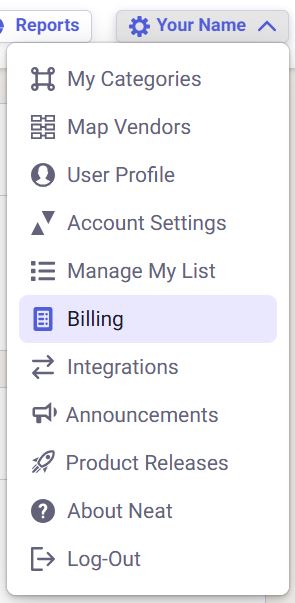
To check which Neat plan you have, log in to your Neat account and click your name in the top right corner to open the dropdown menu. Select Billing, which opens in a new window, to view your current subscription plan.
What do I do next?
After hitting your upload limit for your plan, you will not be able to upload any new items to Neat via any upload method until you manage your plan. If you want to continue uploading items to Neat, then you will need to upgrade your plan or purchase a new year. You can do this, by clicking Billing from the dropdown list under your name in the top right corner.